Pawlette

What's new ✿

Pawlette is still being made. Here's what has changed lately, newest first.

A logo, and how Pawlette will be sold

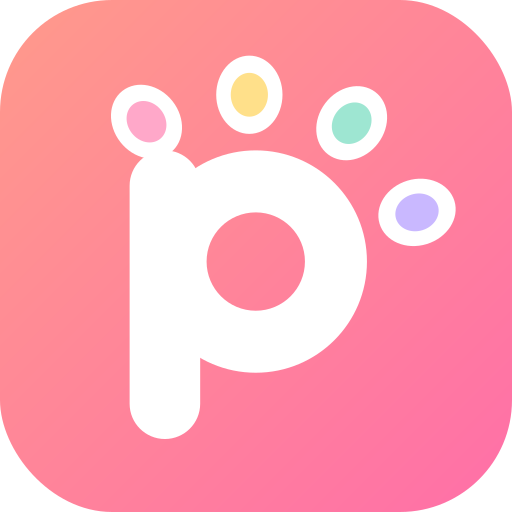
  • Pawlette has a logo: a p with a paw's four toes, one for each colour of the palette.
  • You'll buy Pawlette once, with no subscription. Buying it means you can write to us for help and ask for the features you need.
  • Like Aseprite, the source code will be on GitHub, so you can build it yourself for free.
  • Android tablets come first, then the iPad.

Hello, Pawlette! Brushes that remember

  • The app has a name now: Pawlette. Hi! ♡
  • Change any brush and it keeps your changes. A little dot shows which ones you changed, and Back to its defaults puts them back.
  • The brush settings show everything: the size curve, pressure lag, washes, ribbons and more.
  • Your own brushes can live in any tab, be renamed, and be dragged into the order you like.
  • Erasers remember their size too.
  • Sprays look the same on every screen, and the watercolor splash builds up the longer you paint, just like in Clip Studio.
  • Scrolling the brush settings with a finger no longer nudges a slider by accident.

Thirty-odd brushes, checked one by one

  • We draw the same strokes in Pawlette and in Clip Studio Paint on the same tablet, measure both, and tune each brush until they match.
  • Paint brushes got the most love: gouache, wet wash, watercolor splash, mixing brushes, sprays and droplets.
  • Gouache laid over itself no longer gets darker, just like real gouache.

Inks, pencils and watercolours

  • The G-pen and the other inking pens, the pencils, charcoal, chalk and crayon all rebuilt to feel like Clip Studio's.
  • Watercolours got Clip Studio's crisp edges and paper texture, and pool along both edges.
  • Ink follows the pen faster from the very start of a line.
  • Brush sizes now go up to 2000 px.
  • Mixing brushes take the colours already on the layer, so they no longer go pale on an empty one.

Comics, text and a faster canvas

  • More panel shapes, speech balloon styles and screen tones (stars, hearts, flowers…).
  • Comic lettering fonts included, with Japanese text supported everywhere.
  • New export options for print, PDF and webtoons.
  • Drawings with lots of layers stay smooth, and saving no longer freezes the app.